
Remove the date stamp without cutting away part of the photo
Cropping can hide a timestamp, but it also changes the composition. A timestamp remover is more useful when the date sits in a corner you want to keep. You can remove the date stamp from a personal travel photo, an old camera image, or another photo you own while keeping the original frame and pixel dimensions.
The goal is not to recover the exact pixels that once existed under the date. Those pixels are no longer present in the finished photo. Instead, the tool uses nearby visual information to rebuild the area you selected. That is why the background behind the timestamp matters.
How to remove a date stamp from a photo
- Add the photo. Choose a JPG, PNG, or WebP file. You can also paste an image from your clipboard.
- Zoom into the date stamp. Make the digits large enough to see their edges, glow, shadow, or outline.
- Brush over the complete stamp. Cover the numbers and any visible border, but avoid painting over more of the photo than necessary.
- Remove the date stamp. Process the selected area and compare the result with the surrounding background.
- Review before saving. Check straight lines, skin, repeating textures, product edges, or small objects near the repaired corner. Retry with a tighter selection if needed.
- Download the result. Save the reviewed image as JPG or PNG.
Real date stamp removal examples
Example 1: Date stamp over open sky
A small white timestamp in a corner of open sky is a straightforward case to test first. The surrounding area contains similar color and texture, so the rebuilt patch has clear nearby information to follow.
Review point: Look for a visible rectangle, repeated cloud detail, or a sudden change in grain around the removed date stamp.
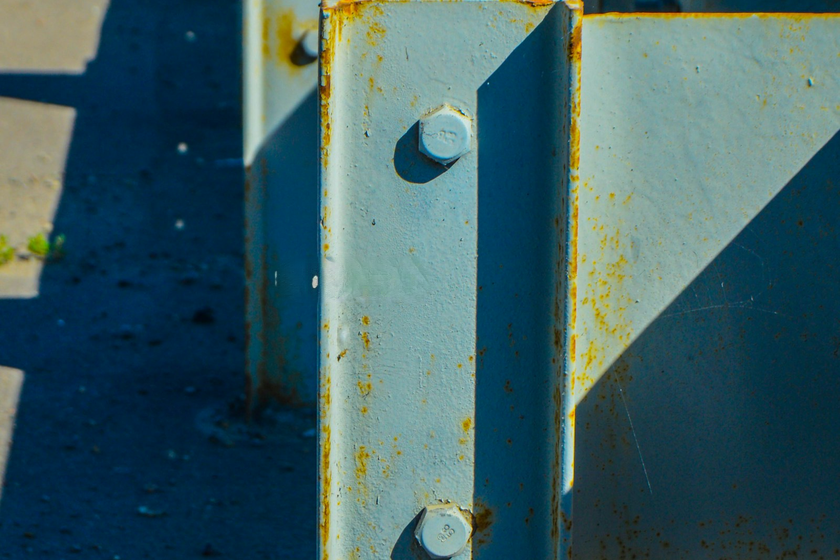
Example 2: Date stamp over a road or railing
A timestamp that crosses a road edge, fence, railing, or horizon needs a closer review. When you remove a date stamp from this kind of photo, straight lines should continue naturally through the repaired area.
Review point: Zoom in and check whether lines remain aligned instead of bending or breaking around the former digits.
Example 3: Date stamp over detailed texture
Grass, foliage, patterned fabric, hair, and other fine textures are harder because many small details pass behind the date stamp.
Review point: Compare the cleaned area with nearby texture. If the result looks smeared or overly smooth, undo the edit and try a smaller brush.
 Before
 After
After Before
 After
After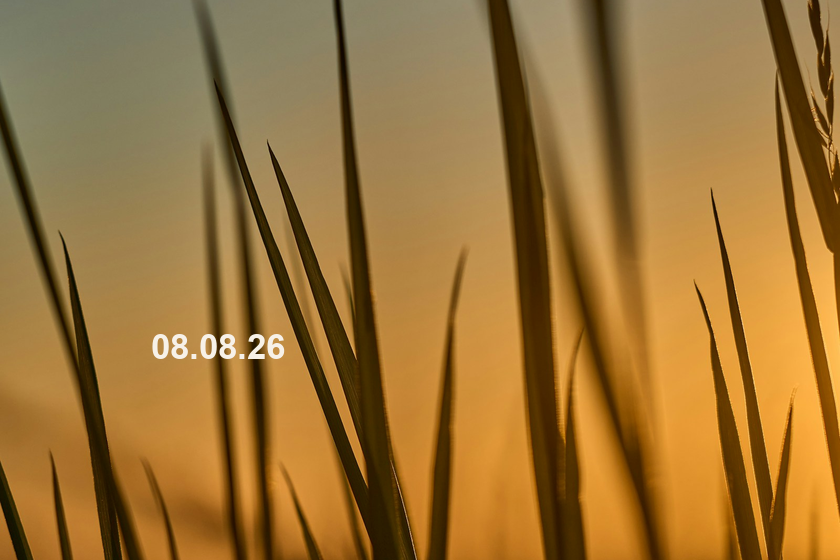 Before
 After
AfterText was added to licensed source photos for these tests. The results were made with the local model available in the tool. Review your own image before saving; detailed areas can need a second edit.
When date stamp removal works best
A small date stamp on a simple or repeating background is the best place to start. Large stamps, thick outlines, low-resolution photos, and stamps that cross a face or detailed subject need more careful review.
Use the tool only on photos you own or are allowed to edit. Do not use it to alter identity documents, official records, rights-management marks, or information in a way that could mislead another person.
Photo and privacy facts
- Input: JPG, PNG, or WebP
- Maximum file size: 20 MB
- Maximum image size: 24 megapixels
- Output: JPG or PNG
- Image processing: the photo, brush mask, filename, and result stay in your browser
- Account: not required
Frequently asked questions
Can I remove a camera timestamp without cropping the photo?
Yes. If the timestamp is baked into the photo pixels, you can brush over the complete date stamp and rebuild that small area instead of cutting away the corner. Review the result closely when the stamp overlaps a subject or strong edge.
Can I remove the date stamp from a JPG photo?
Yes. JPG and JPEG photos are supported. Compression around the digits can create soft or blocky edges, so include the visible edge of the date stamp in your selection and inspect the cleaned area before saving.
Will removing the date stamp restore the original hidden background?
No. The exact pixels underneath a burned-in date stamp are not available in the finished photo. The tool reconstructs a plausible area from nearby visual information rather than revealing the original hidden pixels.
Why does a date stamp sometimes leave a faint outline?
Some timestamps include a shadow, glow, border, or compressed color fringe beyond the obvious digits. If a faint outline remains, undo the result and brush over the full visible edge of the date stamp.
Is the photo uploaded for processing?
No. The photo and selected mask stay in your browser while the date stamp removal runs. Review the result locally, then download only when you are satisfied.
Remove a date stamp from your photo
Choose a photo you own, brush over the timestamp, and review the repaired corner before downloading the result.